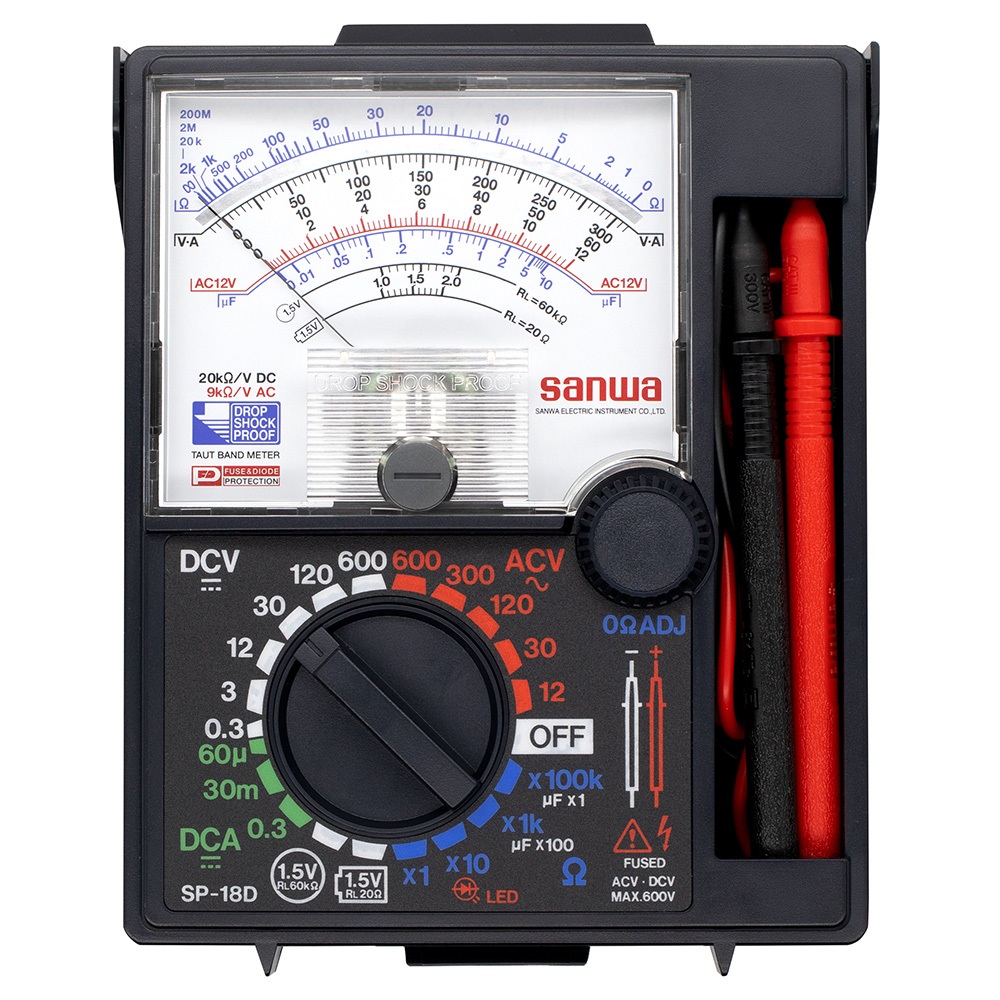
KAISE KT-2011 Digital Multimeter
| Manufaturer: | KAISE |
| Model: | KT-2011 |
*The above price is Standard Price, Kindly click on Request a quote  to unlock Competitive Pricing and Delivery Dates - Check Availability. Our expert consulting team is always ready to assist you within one business day.
*Order Process: 1. Request a quote ⇒ 2. Quote via Email ⇒ 3. Proforma Invoice ⇒ 4. Payment ⇒ 5. Delivery and Invoice.
*We deliver to your doorstep under DAP terms. Customs clearance is for your account.

*You can't find the product you need, please send us the picture/specifications/model/product code and quantity you need to email: [email protected]. We will find it for you.
*Review us here: Review Now 
Description
- This is a high-precision type with a basic accuracy of DCV 0.03%.
- Record maximum, minimum, and maximum-minimum data.
- Model number: KT-2011
- Display: 5-4/5 digits (500000 counts)
- Sampling speed: 50,000 counts/5 times/sec, 500,000 counts/1.25 times/sec, bar graph display/60 times/sec (MAX)
- Power supply: 6F22 (006P) battery (9V) x 1 (built-in for testing)
- Size: 87 x 35 x 186 mm
- Weight: 390g (body only)
- Accessories: Test leads, 2 spare fuses, holster
-
Frequently Asked Questions (FAQ): KAISE KT-2011 Digital Multimeter:
-
1/ What is the KAISE KT-2011 digital multimeter and who is it designed for?
The KT-2011 is a handheld, high-performance digital multimeter offering up to 500,000 counts. It’s engineered for electronics technicians, field service engineers, and laboratory users who need precise measurements and data-logging capabilities.
-
2/ What measurement functions and ranges does the KT-2011 support?
The KT-2011 covers all standard multimeter functions.
-
DC voltage: 500 mV, 5 V, 50 V, 500 V, 1000 V
-
AC voltage: 500 mV, 5 V, 50 V, 500 V, 1000 V
-
DC current: 500 µA, 5000 µA, 50 mA, 500 mA, 5 A, 10 A
-
AC current: 500 µA, 5000 µA, 50 mA, 500 mA, 5 A, 10 A
-
Resistance: 500 Ω, 5 kΩ, 50 kΩ, 500 kΩ, 5 MΩ, 50 MΩ
-
Continuity test with buzzer
-
Diode test
-
Frequency measurement up to 999,999 Hz
-
-
3/ How accurate is the KT-2011 when measuring DC voltage?
The DC voltage accuracy is 0.03% of reading, making it suitable for demanding calibration tasks and precision electronics work.
-
4/ How is the KT-2011 powered and what is its expected battery life?
It uses a single 9 V battery (6F22/006P). Under typical lab or field use, you can expect 100–150 hours of continuous operation before the low-battery indicator appears.
-
5/ How do I turn the meter on/off and select a measurement mode?
-
Turn the rotary selector to your desired function (e.g., DCV, Ω, DCA).
-
To power off, rotate the selector fully to “OFF.”
-
Always start in a higher range if you’re unsure of the signal magnitude.
-
-
6/ How should I connect the test leads?
-
Insert the black lead into the COM socket.
-
For voltage, resistance, frequency, and diode: insert the red lead into the V/Ω/Hz socket.
-
For current measurements up to 500 mA: use the mA socket; for up to 10 A: use the 10 A socket.
-
-
7/ How do I measure DC voltage?
-
Set the selector to DCV.
-
Connect black probe to the negative terminal, red probe to the positive terminal.
-
Read the value on the display.
-
If “OL” appears, switch to a higher range.
-
-
8/ How do I measure AC voltage?
-
Set the selector to ACV.
-
Connect probes as you would for DC.
-
Observe the waveform stability on the bar graph for best accuracy.
-
-
9/ How do I measure DC and AC current?
-
Choose the correct current socket (mA or 10 A).
-
Set the selector to DCA (DC current) or ACA (AC current).
-
Break the circuit and connect the meter in series.
-
Reverse polarity if the reading shows negative when measuring DC.
-
-
10/ How do I measure resistance and test continuity?
-
Set the selector to Ω.
-
Place probes across the component or circuit.
-
A reading near zero indicates continuity; a buzzer will sound if resistance is very low.
-
-
11/ How do I use the Max/Min recording function?
-
Press the Max/Min button once to enter recording mode.
-
The display toggles through maximum, minimum, ΔMax-Min, and live readings.
-
Press again to exit back to normal measurement.
-
-
12/ What is the bar-graph indicator and how is it useful?
-
The 60-segment bar graph updates at 60 Hz.
-
It visually tracks rapid signal changes that numbers alone might miss.
-
-
13/ How do I change the sampling rate?
-
Press the SAMPLE button to toggle between 50,000 samples per second and 500,000 samples per second.
-
Use the lower rate to conserve battery life when you don’t need ultra-fast capture.
-
-
14/ How do I replace the battery and how is low battery indicated?
-
When the battery icon appears on the LCD, open the rear battery cover.
-
Replace the old 9 V battery with a fresh one, observing polarity.
-
Tighten the cover to maintain safety ratings.
-
-
15/ How do I check and replace the protective fuses?
-
Remove the back cover to access the fuse compartment.
-
The mA range fuse is typically 250 mA/600 V; the 10 A range fuse is 11 A/1000 V.
-
Replace with manufacturer-specified fuses only.
-
-
16/ What error messages might appear and how do I troubleshoot?
-
“OL”: Overload – switch to a higher range or check connections.
-
“Err”: Internal error – power cycle the meter; if it persists, seek authorized repair.
-
Blank or flickering display: Check the battery and fuse condition.
-
-
17/ What safety precautions should I follow?
-
Never exceed rated input limits.
-
Do not touch metal probe tips when measuring live circuits.
-
Disconnect test leads before changing settings.
-
Store in a dry environment and avoid mechanical shocks.
-
-
18/ What accessories come with the KT-2011?
-
Standard test leads
-
Spare fuses for mA and 10 A ranges
-
Holster/carrying case
-
User manual
-
-
19/ What are the physical dimensions and weight?
-
Dimensions: 186 mm × 87 mm × 35 mm (H×W×D)
-
Weight: 390 g (excluding holster)
-
-
20/ Does the KT-2011 support PC connectivity or data logging?
-
Yes, it features a PC-link function for downloading readings to a computer.
-
Requires optional interface cable and dedicated software.
-
-
21/ What warranty and technical support are available?
-
Typically covered by a 12-month manufacturer’s warranty.
-
Please contact QTE Technologies (qtetech.com/en).
-